

Reliability matters. When you’re using Staffino to collect customer feedback, manage employee performance, or run CX programs, the platform needs to work. And when something happens, you deserve to know immediately.
That’s why we built the Staffino Status Page.
What Is the Staffino Status Page?
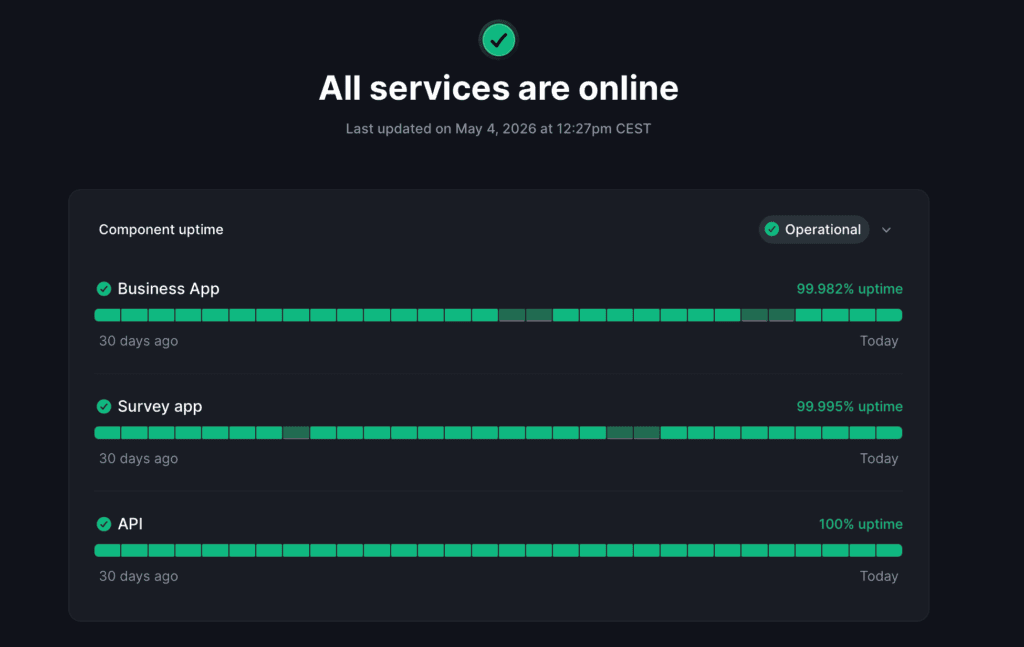
The Staffino Status Page is a public, real-time dashboard showing the operational health of the Staffino platform and all its key components. No login required. No support ticket needed. One URL, and you see exactly what’s happening right now.
What You Can See
At a glance, the status page shows you:
- Whether Staffino is fully operational, experiencing degraded performance, or under maintenance.
- The status of individual services and components, so you know exactly what is affected if an issue occurs.
- A live incident history, including what happened, when it started, and when it was resolved.
- Upcoming planned maintenance windows (announced in advance so you can prepare).
Two Ways to Stay Informed
We communicate with our clients through two channels. They serve different purposes and work best together:
Staffino Newsletter | Status Page Subscription |
|
|
Bottom line: the newsletter keeps you informed. The status page subscription keeps you in control. We recommend both.
How to Subscribe to Status Page Notifications
Subscribing takes under a minute. Here’s how:

Subscribe in 3 steps
1. Go to status.staffino.com
2. In the right top corner of the page click on the “Get Updates”
3. Enter your email address and choose which components you want to follow.
Done.
You’ll receive automatic notifications when:
An incident is detected and under investigation
A planned maintenance window is approaching
An incident has been resolved, and the system is back to normal
Why This Matters for Your Business
If you’re a CX manager or operations lead, knowing about an issue before your clients do, or that it’s already being handled, lets you stay ahead of the situation. You can communicate proactively rather than react.
If you’re on the technical side, early warnings about planned maintenance help you schedule integrations, API calls, and data syncs without conflict.
Transparency Is Part of the Service
At Staffino, great customer experience starts with how we treat our own customers. The status page is our commitment to being open, proactive, and respectful of your time.
We don’t hide issues. We communicate them clearly and fix them fast.
Questions?
Reach out to your Customer Success Manager or contact us at [email protected].